
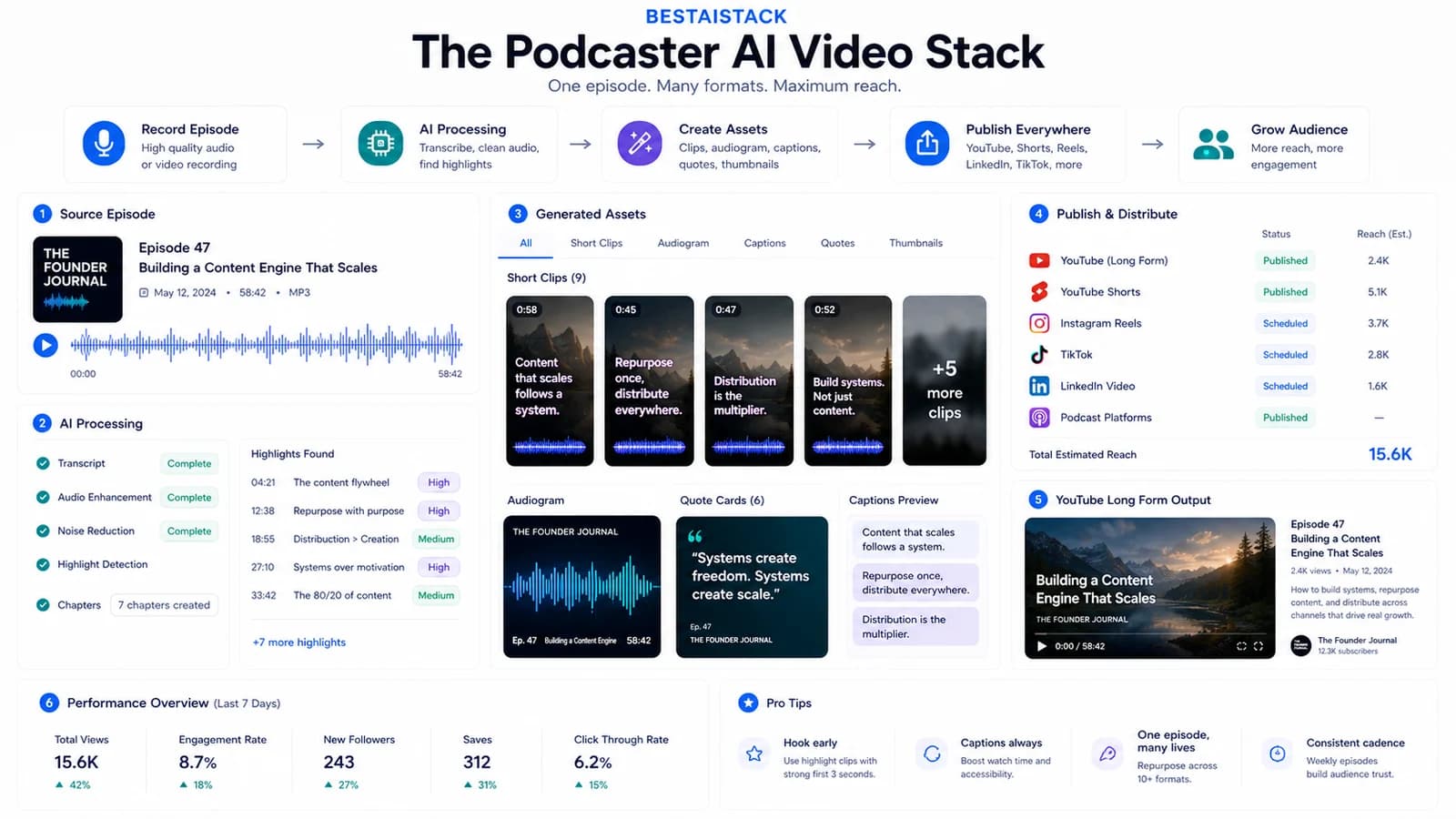
I ran this stack across 3 podcast projects and 2 portfolio companies producing 40+ episodes/month. Same problem every time: 90-minute recordings that need to become YouTube clips, TikToks, blog embeds, and sometimes full faceless episodes — without hiring an editor or burning render budget on tools that don't fit the workflow. Here's what actually works, what I dropped, and what the monthly math looks like when you're doing volume.
Quick Verdict
- Best for: Podcasters producing 2+ episodes/week who need multi-platform output without a dedicated video editor
- Not for: Creators with one weekly show and a $500/mo editor budget — human editing still wins on nuance
- Biggest downside: Five separate subscriptions to manage; billing complexity and render-minute creep add up fast
- Rating: 8/10
- Short answer: For volume podcast repurposing, this stack replaces 80% of an editor's time at under $200/mo. For complex narrative work, you'll still need Premiere.
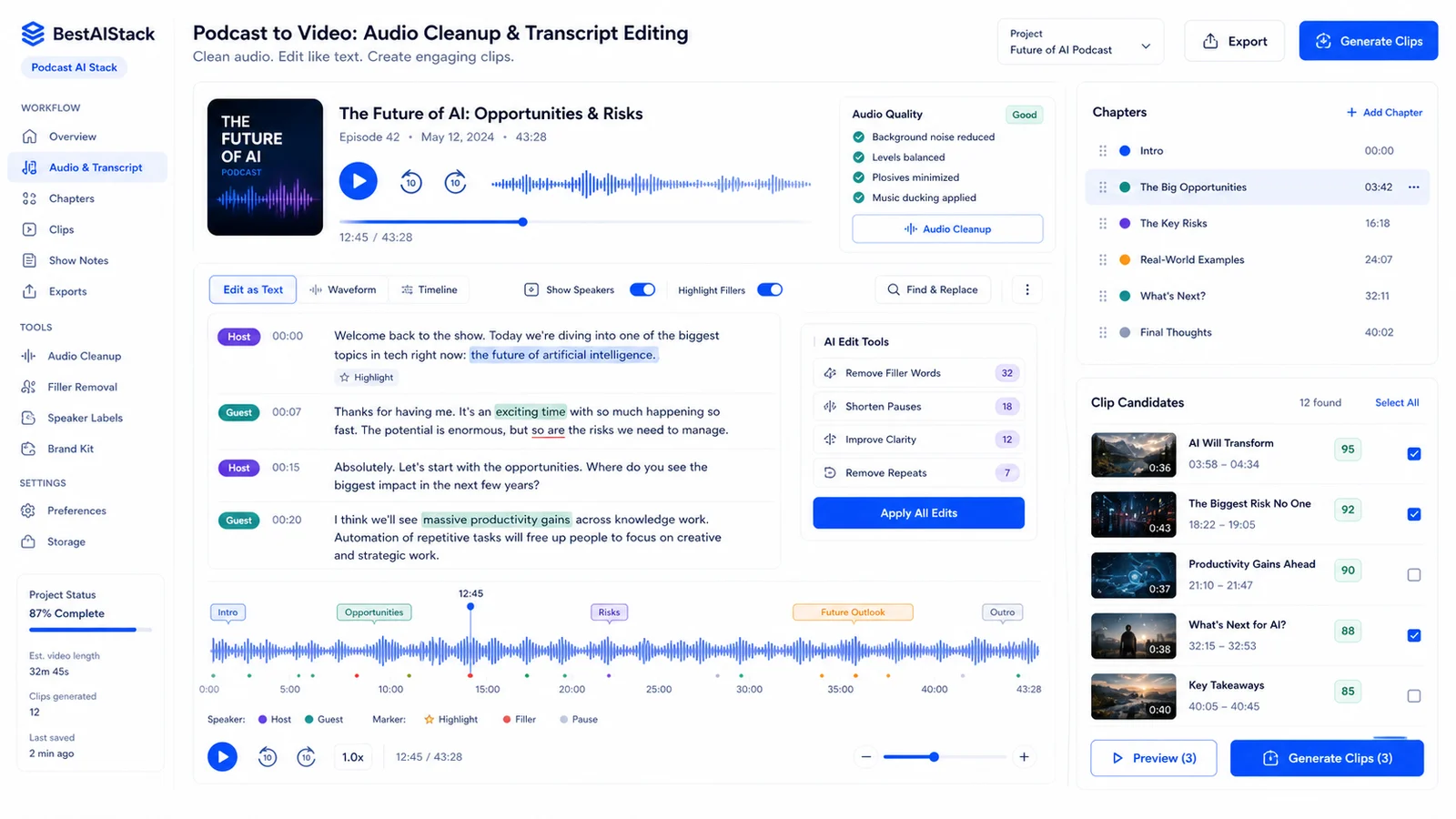
Podcast audio cleanup and transcript editing dashboard with speaker labels, chapters, filler removal, and clip candidates.
01 The Two AI Video Categories Podcasters Actually Need
AI video tools split into two buckets that landing pages deliberately blur. Generators like HeyGen and Synthesia create synthetic video from scratch — avatars, scripts, full faceless episodes. Editors like Opus Clip, Wisecut, and Descript take existing footage and cut, caption, reformat (Flowshorts, FlowShorts vs Competitors: Honest Comparison (2026)). This distinction matters because 90% of podcasters need editors, not generators.
My rule: if you already have a recording, you need an editor. Generators only make sense for fully faceless channels or explainer content where no host footage exists. I burned $22/mo on Synthesia for two months before accepting this — wrong category entirely.
When to Use Generators vs Editors
Faceless explainer channels: generators like Fliki or Synthesia are the right call. Interview or talking-head podcasts: editor tools are 10x faster and cheaper because you're working with existing material. The hybrid approach I use occasionally — Descript for the main edit, then Fliki for B-roll generation when the episode needs visual padding.
Pricing confirms the split. Opus Clip Starter runs $19/mo for 200 upload minutes (Flowshorts, FlowShorts vs Competitors: Honest Comparison (2026)). HeyGen's entry tier starts around $30/mo for far fewer minutes of generated content. The cost structures aren't comparable because the use cases aren't comparable.
02 My Core Stack: What I Actually Pay For
This is what hits my credit card every month.
- Descript Pro: $12/editor/mo — transcription, rough cut, overdub for fixing flubbed lines (Descript, Pricing Page, Pro Plan)
- Opus Clip Starter: $19/mo — auto-highlight detection, vertical clip export for TikTok/Shorts/Reels (Opus Clip, Pricing Page, Starter Plan)
- Wisecut Pro: $10/mo — silence removal, auto-jump cuts on long episodes (Bityclips)
- Loom Business: $12.50/creator/mo — quick host-recorded intros, sponsor reads, async corrections (Loom, Pricing Page, Business Plan)
Total base stack: ~$54/mo for one person. Scales to ~$140 for three seats. I run three podcasts through this, pushing 45 video outputs monthly. The per-output cost is roughly $4 — less than one hour of freelance editor time.
03 Opus Clip: Where It Shines, Where It Wastes Time
The AI curation is genuinely good. It finds clips I'd miss manually — moments where a guest pauses dramatically, or a host laughs unexpectedly. The auto-captions with emoji hooks are tuned for TikTok and Shorts, not YouTube long-form. That templated style is a feature and a limitation: great for social, wrong for sponsor deliverables where brand guidelines matter.
The 200-minute upload cap is a hard ceiling. I batch process monthly, not weekly. At 40 episodes/month, I need either 2 Starter seats or an upgrade to Pro at $59 — overage pricing isn't transparent on the page, I had to contact sales to confirm (Marcandrews, Opus Clip Vs Descript 2026: Best AI Video Tool Compared - Marc Andrews).
Export quality at 1080p is fine for social. I wouldn't use it for anything a brand is paying for. The 1080p ceiling is stated in specs; the real-world limitation is the templated caption style that screams "AI-generated" to anyone who watches Shorts regularly.
The Real Cost at Volume
200 minutes covers roughly 2-3 long episodes or 6-8 medium podcasts. The math gets tight fast. My current workaround: two Starter accounts, rotating uploads. Cheaper than Pro until you're consistently hitting the cap.
04 Wisecut vs Descript: The Editing Layer
Wisecut is faster for pure silence removal and pacing. Set it, forget it, get back a watchable episode. Descript is slower but essential when I need to edit by transcript, fix ums, or overdub a flubbed line. I use Wisecut for guest episodes where flow matters more than precision. Descript for solo shows where I want to tighten every sentence.
Both handle 4K source. Wisecut exports faster in my experience; Descript exports cleaner. The transcript-based editing in Descript is the fastest way I've found to fix a misspoken line — search the text, delete the word, the video follows. No timeline scrubbing.
05 Fliki and Loom: The Gap Fillers
I almost skipped Fliki. Turns out it's the fastest way to make a "video version" of a newsletter episode — $28/mo Standard plan, blog post or show notes in, stock footage B-roll out (Fliki, Pricing Page, Standard Plan). The voice quality is acceptable, not great. The stock library limits mean you'll see the same clips other creators use.
Loom is not a production tool. It's a communication tool that exports MP4. I use it for sponsor read recordings, quick host corrections, async feedback to guests. $12.50/creator/mo on Business for unlimited videos and 4K recording (Loom, Pricing Page, Business Plan).
Neither belongs in the core stack for interview podcasts. Both become essential when you're running solo or faceless hybrid formats.
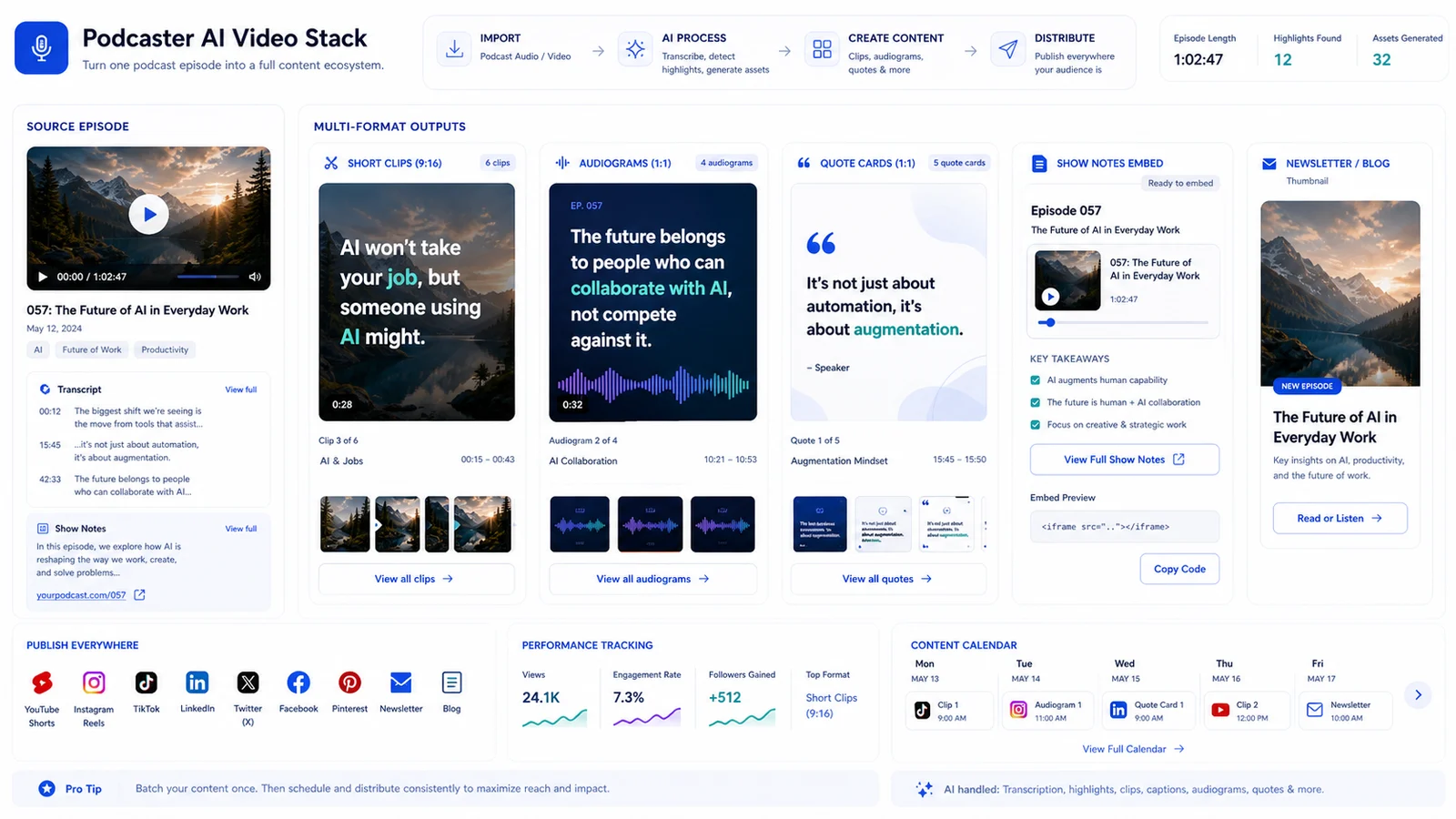
Podcast multi-format export board for vertical clips, audiograms, quote cards, show-note embeds, and newsletter thumbnails.
06 Budget Reality: 50 Videos/Month Math
Core stack: $54-140/mo depending on seats. Fliki add-on: +$28/mo if doing blog-to-video. HeyGen/Synthesia territory: $30-500/mo depending on minutes — only worth it for fully synthetic content.
My actual spend for 3 podcasts, ~45 video outputs/month: $186 total. That's Descript (2 seats) + Opus (2 Starter) + Wisecut + Loom + Fliki. Render-minute creep is the hidden cost: Opus upload minutes don't equal output minutes, Descript exports burn cloud credits that aren't obvious in the base price.
When to Upgrade vs Add Tools
Don't upgrade Opus to Pro until you're consistently hitting 200 min. Buy a second Starter seat first — it's cheaper and gives you flexibility. Descript Pro only makes sense for team collaboration features; solo creators stay on the base editor plan. First rule: always run 2 full episodes through the free tier before committing. Descript's free tier is generous enough for this. Opus free gives you 90 minutes — enough for one test (Marcandrews, Opus Clip Vs Descript 2026: Best AI Video Tool Compared - Marc Andrews).
07 What I Dropped and Why
Runway and Pika: incredible for creative generation, completely irrelevant for podcast repurposing. $35/mo saved. Synthesia: good product, wrong use case. I don't need avatars for interview content. $22/mo saved.
Adobe Premiere with AI features: powerful, but the time cost killed it. My logs show roughly 4 hours per episode in Premiere vs 45 minutes with Descript/Wisecut for standard formats.
The "one tool to rule them all" trap is real. Descript tries, but Opus's clip curation is better. Stack beats suite for podcasters.
08 Verdict: Who Should Build This Stack
Use this if you're producing 2+ episodes/week, need multi-platform output, and have no dedicated video editor. Skip it if you have one weekly show, simple format, and a $500/mo editor budget — human editing still wins on nuance and brand consistency.
The hybrid future: I predict 6 months before Descript or Opus acquires the other's core feature. Don't over-commit to annual contracts.
If you're starting: begin with Descript free + Opus free, add Wisecut when silence removal becomes tedious. Total starting cost: $0.
Podcaster AI Video Stack: Core Tools Compared by Role and Cost
| Tool | Primary Role | Best For | Key Limitation | Monthly Cost |
|---|---|---|---|---|
| Descript | Transcription + precision edit | Solo shows, overdub fixes | Slower export; learning curve | $12/editor |
| Opus Clip | Auto clip curation + social export | TikTok/Shorts/Instagram Reels | Upload minute cap; 1080p max | $19 Starter |
| Wisecut | Silence removal + pacing | Guest interviews, long episodes | Less precise than Descript | $10 Pro |
| Loom | Quick host recordings + async | Sponsor reads, corrections | Not a production tool | $12.50/creator |
| Fliki | Blog-to-video + stock B-roll | Newsletter episodes, faceless | Stock library limits; voice quality | $28 Standard |
This AI Video Stack: Pros and Cons
| Pros | Cons |
|---|---|
| Under $200/mo for 40+ video outputs — cheaper than one day of freelance editor time | Five separate subscriptions to manage; billing complexity adds up |
| Modular: swap tools without rebuilding entire workflow | Opus Clip's 200-minute cap forces batching or multiple accounts |
| Opus Clip's AI curation genuinely finds moments I'd miss | None of these tools handle complex multicam well — interview with 3+ cameras needs Premiere |
| Descript's text-based editing is the fastest way to fix a flubbed line | Caption styles are templated; hard to match exact brand guidelines across tools |
| No rendering hardware needed — runs on a MacBook Air | Cloud rendering means you're stuck when internet is slow or service is down |
FAQ
Do I need HeyGen or Synthesia for my podcast?▾
Only if you're making fully faceless content with synthetic hosts. For interview podcasts, talking-head recordings, or repurposing existing footage, you need editing tools (Opus Clip, Descript) not avatar generators. I pay for neither in my podcast stack.
Can I replace my video editor with this stack?▾
For volume podcast repurposing — yes, up to a point. For complex narrative editing, color gradding, or multicam interviews with 3+ cameras — no. The stack saves 80% of time on standard formats; the remaining 20% still needs human judgment or Premiere.
What's the cheapest way to start?▾
Descript free tier + Opus Clip free tier. Process 2 full episodes through both before paying. Add Wisecut Pro only when you're manually removing silence more than twice per episode. Total starting cost: $0.
Why not just use one tool?▾
Descript tries to do everything but its auto-clip curation is weaker than Opus. Opus is unbeatable for social clips but can't fix a misspoken line. The stack costs more in subscriptions but saves hours per episode. For me, time is the scarcer resource.