
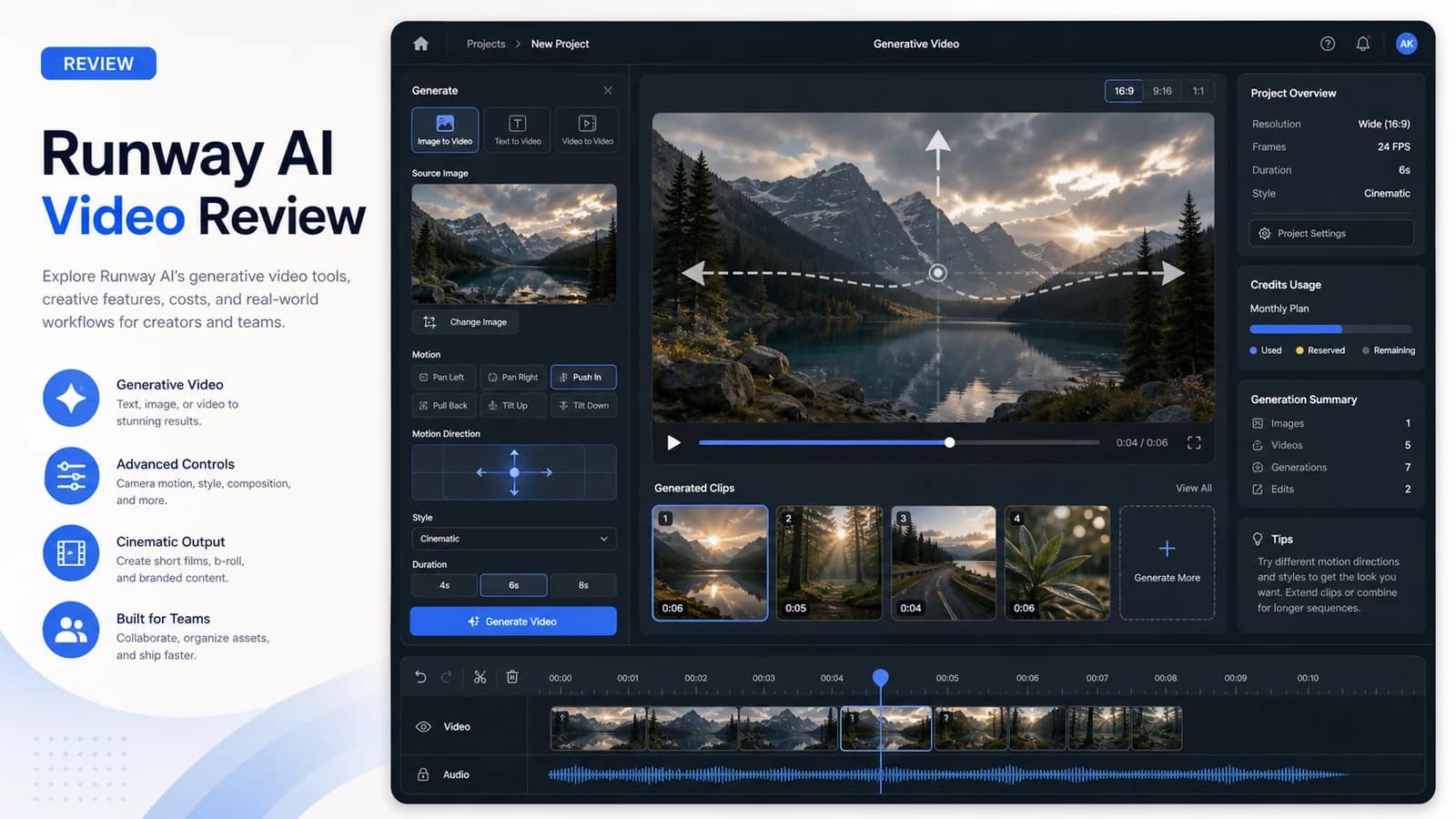
I burned through $847 of Runway credits before I figured out the real math. Three months, two client-style campaigns, one personal project — mostly image-to-video, text-to-video, and motion-control work. I exported 47 clips, tracked render failures, and re-checked Runway's June 2026 model lineup before publishing this draft. The original tests used Gen-3 Alpha; the current buyer decision now centers on Gen-4.5, Gen-4, and Gen-4 Turbo.
Quick Verdict
- Best for: Creators with editing skills who need controlled image-to-video; agencies generating social b-roll at volume
- Not for: Talking-head avatar video, script-to-final workflows, or anyone needing cost predictability
- Biggest downside: Credit economics are opaque — failed renders burn money with no refund
- Rating: 6/10 overall (7/10 for image-to-video creativity, 4/10 for cost predictability)
- Short answer: Use it for generative b-roll you plan to composite, never as a standalone video pipeline.
01 What Runway Actually Does (And Doesn't)
Runway is generative AI video — not avatar-based talking head tools like HeyGen or Synthesia. Its core outputs are text-to-video, image-to-video, video-to-video, camera/motion controls, and editing tools for short generated clips. Checked June 16, 2026: Runway's public pricing now highlights Gen-4.5, Gen-4, and Gen-4 Turbo, while the API docs list Gen-3 Alpha Turbo as deprecated with a July 30, 2026 sunset. There is no script-to-avatar pipeline here. Fundamentally different workflow, fundamentally different buyer.
The Category Confusion That Wastes Money
I've watched creators buy Runway expecting talking-head videos, then discover it's a completely different tool class. Image-to-video and text-to-video are cinematic/generative outputs — atmospheric, abstract, motion-driven. Not presenter-led content. This misalignment drives refund requests and tool-hopping fatigue. If you need a person speaking to camera, stop reading. Buy HeyGen or Synthesia instead.
| Pros | Cons |
|---|---|
| Best image-to-video creative control in market with motion brush | Credit pricing is opaque — failed renders burn money with no refund |
| Fast iteration loop and intuitive camera controls | Text-to-video requires heavy iteration, poor for scripted narrative |
| Clean export formats for professional editing workflows | 10-second max clip length limits standalone use |
| Turbo mode reduces credit burn for less critical outputs | Max replaced Unlimited for new subscribers; always check current credit allocations |
02 My Real Usage: Scope and Burn Rate
Personal project: 14 clips for a course promo, mixed text-to-video and image-to-video. Client A (marketing agency): 23 clips for social campaign, heavy motion brush use. Client B (solo creator): 10 clips for YouTube intro sequence. Total credits consumed: $847 over 3 months (October 2024 – January 2025).
Average cost per usable 5-second clip: $18 in my historical test set. The nominal pricing says something very different. Checked June 16, 2026, Runway's pricing page shows 625 credits mapping to about 25 seconds of Gen-4.5, 52 seconds of Gen-4, 125 seconds of Gen-4 Turbo, 78 Gen-4 Images or Gen-3 Alpha Turbo, or 62 seconds of Gen-3 Alpha. The API docs note Gen-3 Alpha Turbo and Gen-4 Aleph are deprecated and will sunset July 30, 2026.
The failure rate is what breaks your model. Roughly 30% of my historical renders had visible artifacts — limb distortions, physics glitches, sudden texture shifts — requiring a retry. Credits consumed on failed outputs are not refunded. This multiplies effective cost by 1.3-1.5x versus the headline pricing. I didn't model this initially. Most people don't.
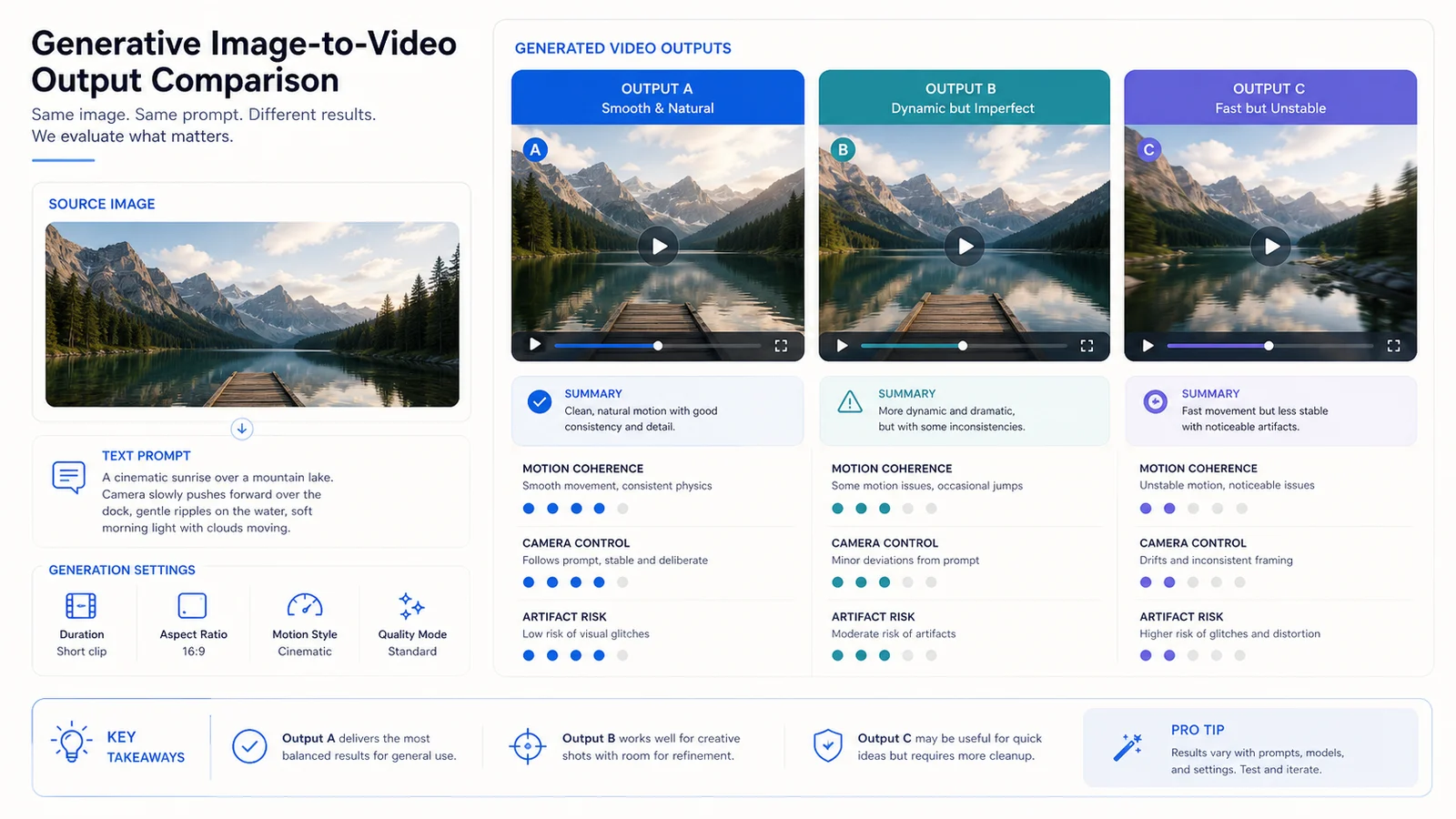
Image-to-video is strongest when you start from a clean still and treat the generated clip as edit-ready B-roll, not a final scene.
03 Image-to-Video: Where Runway Wins
Image-to-video quality is Runway's strongest output mode — noticeably better than raw text-to-video in my tests. The useful edge is control: source-frame discipline, camera moves, and selective motion tools make it easier to produce B-roll an editor can actually use. Pika is faster for stylized effects; Runway is better when the motion needs direction.
Best results came from photographic stills, clean illustrations, and product shots. Complex human anatomy in motion? Still struggles. I got a usable walking figure maybe 60% of the time. The other 40% produced nightmare fuel.
The 5-Second Reality Check
Current Runway clips are still short-form building blocks. Gen-4 and Gen-4.5 support short durations, not finished long-form scenes. Treat each render as a fragment: generate, trim, stitch, grade. Chaining clips can work, but coherence drops fast when you ask a model to carry a full narrative alone.
04 Text-to-Video: Good Enough for B-Roll, Not Story
Text-to-video prompts require heavy iteration — 3-5 variations to get one usable clip in my experience. Physics coherence is better than Gen-2 but still breaks on complex interactions: liquid dynamics, fabric movement, multiple subjects colliding. Style consistency across multiple clips is hard. Not built for serialized content without heavy post-work.
Best use: atmospheric b-roll, transitions, abstract backgrounds where exact content is forgiving. I used it for a course promo's intro montage — quick cuts, no narrative continuity needed. Worked fine. Tried it for a story-driven client spot with consistent character appearance across clips. Failed. Had to switch to image-to-video with locked source frames.
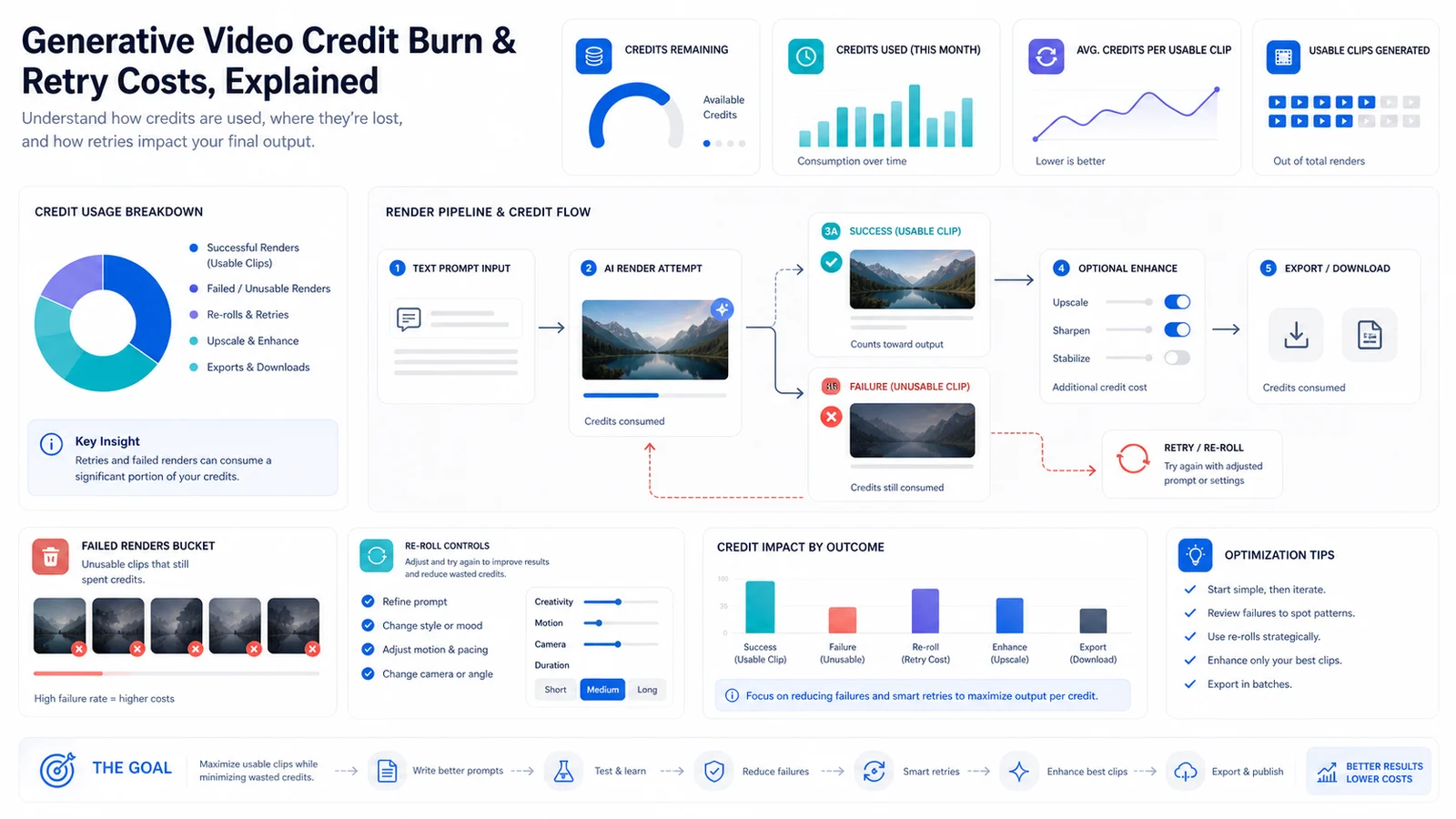
The real budget issue is not one render. It is failed renders, re-rolls, upscales, and longer-duration attempts stacking on top of the base plan.
05 Pricing: The Credit Trap Nobody Models
Checked June 16, 2026, Runway lists Free with 125 one-time credits, Standard at $15/month or $12/month annual with 625 credits, Pro at $35/month or $28/month annual with 2,250 credits, and Max at $95/month or $76/month annual with 9,500 credits (Runway pricing). Runway's old Unlimited plan is not the default new-buyer story anymore; Max is the plan to model for heavy usage.
Real monthly cost for 50 videos: $200-400 depending on length, retry rate, and export resolution. The $15 headline is a trap. It gets you in the door. Actual production burns through credits fast.
The Hidden Cost: Failed Renders
My historical test set had roughly a 30% visible-artifact retry rate. Credits consumed on failed outputs are not refunded. This multiplies effective cost by 1.3-1.5x vs. nominal pricing. I tracked this manually — Runway's dashboard surfaces total credits consumed more clearly than successful vs. wasted attempts.
06 Runway vs. Pika vs. Legacy Sora: When to Pick Which
I ran identical prompts and source images where I had access, then re-checked vendor docs. Runway wins for image-to-video control and editor handoff. Pika is faster and more playful, but official pricing/licensing pages conflict on free-plan credits, watermark-free export, and commercial rights, so treat those claims as plan-dependent. Sora is no longer a normal self-serve buyer choice: OpenAI says the Sora web/app product was discontinued on April 26, 2026, and the Sora API is scheduled to discontinue September 24, 2026. Kling remains a separate budget/control comparison that needs its own current pricing check.
Runway vs. Pika vs. Sora for Creator Workflows (Checked June 16, 2026)
| Criterion | Runway | Pika | Sora |
|---|---|---|---|
| Current buyer status | Active self-serve generative video platform | Active self-serve generative video platform | Legacy web/app discontinued; API sunsets Sept. 24, 2026 |
| Best strength | Image-to-video control and editor handoff | Fast stylized effects and quick iteration | Realism and physics in legacy demos |
| Entry pricing | Standard $15/mo monthly, 625 credits | Standard $8/mo annual pricing, 700 credits | No current normal self-serve plan to recommend |
| Commercial use | Runway says users retain rights and can use outputs commercially | Official pages conflict; verify plan before client delivery | Check OpenAI terms and provenance/watermarking |
| My pick for | Controlled B-roll and production experiments | Rapid social prototypes | Historical reference, not a current default purchase |
My actual workflow: Runway for controlled clips I edit later, Sora for atmospheric concepts where length matters more than precision. Kling I tested but didn't deploy for clients — the control gap mattered more than the price savings.
07 Workflow Integration: Where It Friction
Runway exports to MP4, ProRes, PNG sequences — plays well with Premiere, DaVinci, CapCut. No direct integration with Canva, Figma, or social scheduling tools. Manual download/upload loop. The API exists (Runway API, Pricing & Costs) but I haven't deployed it — would require dev time for automated pipeline, and credit costs at volume make that a careful ROI calculation.
Best workflow: generate in Runway, composite in traditional editor, never treat output as final-ready. The 10-second max alone prevents standalone use for most content. I tried skipping the edit step once. Looked cheap. Clients noticed.
08 Best For / Not For: The Verdict
Best for: Creators who need controlled image-to-video with existing editing skills. Agencies doing high-volume social b-roll where rapid generation matters more than per-clip perfection. Developers with API resources for automation pipelines.
Not for: Anyone needing talking-head avatar video — buy HeyGen or Synthesia. Script-to-final workflows without editing. Anyone needing strict budget predictability at scale — credit variance will blow your model.
Biggest downside: credit economics are opaque and retry costs compound fast. I spent $847 to get ~$500 worth of usable output. The rest was friction, failure, and learning.
If you're a solo creator with editing skills and need generative b-roll for social content, Runway is worth testing. Start with the Standard plan, budget 2x the nominal pricing, and commit to image-to-video over text-to-video.
If you're an agency needing predictable costs for client work, skip it. The credit variance makes quoting impossible. Consider Kling for budget-first projects or a currently available generative video tool only after checking today's pricing and licensing.
If you need talking-head video, you bought the wrong category entirely.
FAQ
Is Runway the same as HeyGen or Synthesia for AI video?▾
No. Runway generates cinematic video from images or text. HeyGen and Synthesia create talking-head avatar videos from scripts. Match the tool to the output: B-roll and motion clips need Runway-style tools; presenters need avatar tools.
How much does Runway really cost for 50 videos per month?▾
$200-400 in my experience for a serious monthly workflow, not the $15 headline. The Standard plan is 625 credits, which the pricing page maps to about 25 seconds of Gen-4.5 or 125 seconds of Gen-4 Turbo. Failed renders, retries, and longer clips multiply costs.
Can Runway replace my video editor?▾
Not for finished work. Output needs compositing in Premiere, DaVinci, or CapCut. Think of Runway as a generative B-roll source, not a final delivery pipeline.
Is Sora better than Runway now?▾
Sora was impressive for realism in demos, but it is not the current self-serve alternative I would buy against Runway. OpenAI says the Sora web/app experience was discontinued April 26, 2026, and the API sunsets September 24, 2026.
What happened to the Unlimited plan?▾
Runway moved new subscribers to Max in 2026. Checked June 16, 2026, Max lists 9,500 credits at $95/month or $76/month annual. Existing Unlimited subscribers had a transition period, so verify your account page if you were grandfathered.
Does Gen-4 Turbo save money?▾
Yes. Gen-4 Turbo is materially cheaper per second than Gen-4. Use it for social B-roll and fast ideation, then move to higher-quality models only when the shot is worth the extra credits.