

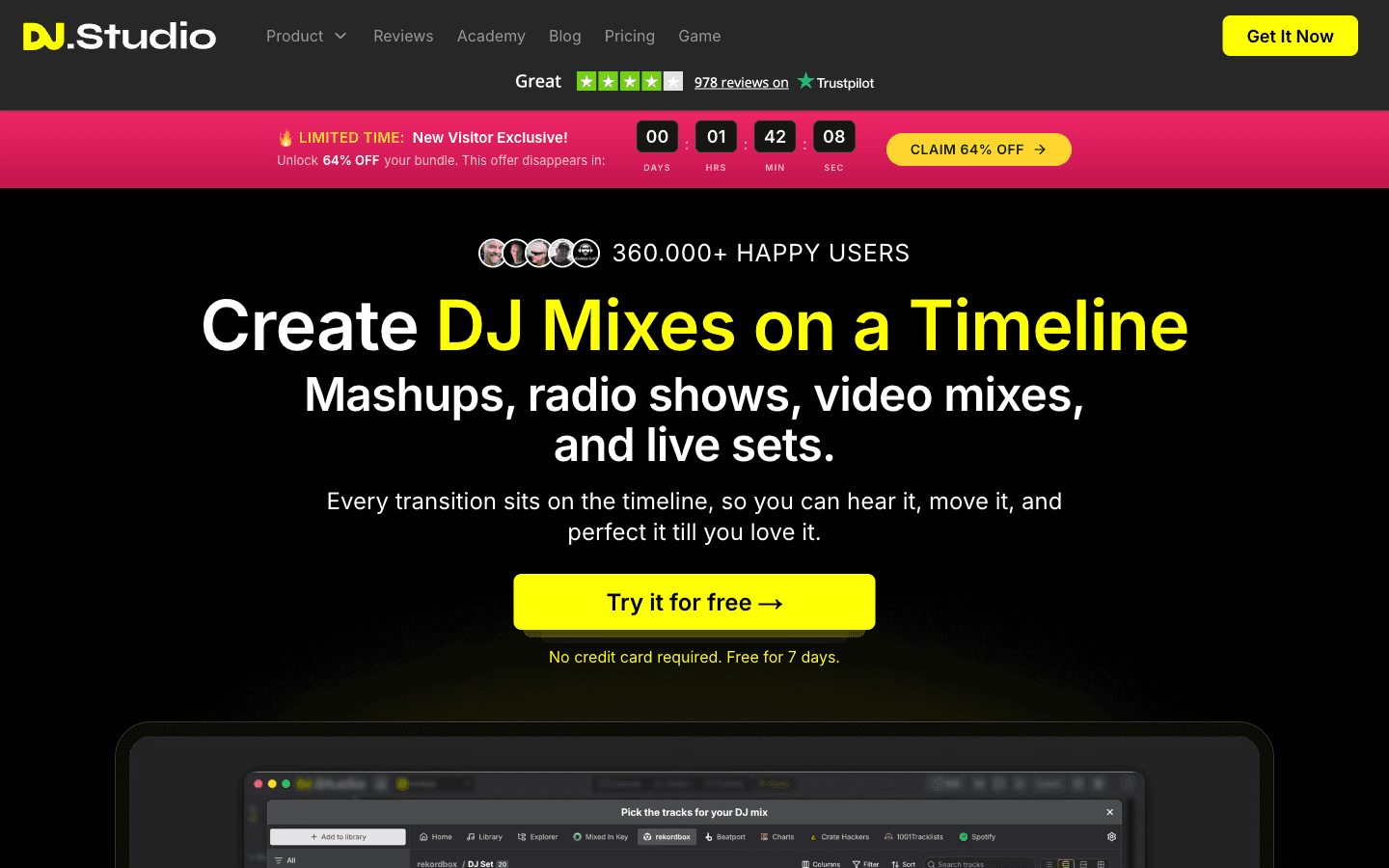
What is DJ.Studio?
Pricing page, help FAQs, trial terms, and the affiliate program reviewed on dj.studio as of 2026-10-26; the app itself is not installed yet. DJ.Studio is a Mac/Windows timeline DAW for DJs: import libraries from rekordbox, Serato, Traktor, VirtualDJ, Engine DJ, or Beatport streaming, let Harmonize order tracks by BPM and Camelot key, then edit every transition on a timeline and export at 10× speed to WAV/MP3, Mixcloud with auto tracklists, YouTube video (Ultimate), or multitrack Ableton Live. One-time licenses run $99–$189 (12 months of updates included, 14-day no-questions refund); the 7-day trial needs no card and never auto-converts. The affiliate program pays 20% of net revenue for a referred customer's first 12 months on a 30-day cookie — the footer's 'Earn $30' is its own example payout on a one-off plan.
Key Features
Timeline mixing + Harmonize
Drop tracks from your existing libraries and Harmonize orders the playlist by tempo and Camelot-wheel harmonic matching; every transition then sits on the timeline for manual editing, effects, samples, and parameter automation.
AI stem separation + AI Beatgrid
On Pro + Stems and above: isolate vocals, drums, bass, and melodies for mashups and extended edits; a Mixed In Key module adds energy levels and cue points for Pro users.
Export pipeline
Render at claimed 10× speed to WAV/MP3 with timestamped tracklists, straight to Mixcloud, as beat-synced video for YouTube (Ultimate), or as a multitrack Ableton Live project (Pro and up).
Library and streaming integrations
rekordbox, Serato, Traktor, VirtualDJ, Engine DJ, djay Pro, Apple Music, and Beatport/Beatsource streaming feed one project; mixes stay exportable to the platforms you perform on.
Pros & Cons
What works
- Purpose-built offline mixing: Harmonize auto-orders by tempo and Camelot key, and every transition is editable on a timeline — MusicTech scored the concept 9/10 as the first full DAW for DJs (homepage + MusicTech review, captured 2026-10-26).
- Trial and refund terms are unusually honest in writing: 7 days with no card that never auto-converts, and a 14-day no-questions money-back guarantee on one-time licenses — with Trustpilot threads showing refunds landing within days (pricing page + Trustpilot, 2026-10-26).
- Support and shipping cadence are externally visible: DJ.Studio replies to 92% of negative Trustpilot reviews, typically within 48 hours, and press notes community feedback reaching the product fast (Trustpilot 4.2/5, 978 reviews, captured 2026-10-26).
- It slots into existing DJ stacks instead of replacing them: imports grids, BPM, and cue points from the major library apps, streams Beatport, and exports Ableton multitrack or Mixcloud with auto-generated tracklists (homepage + pricing comparison table, 2026-10-26).
Watch out for
- The upsell ladder sits above the base license: stems, video export, VST support, and hi-res exports are higher tiers, and one Trustpilot reviewer who paid $107 to unlock the app watched extras 'rack up to $100's more' against free web stem tools (pricing page + Trustpilot, Oct 2026).
- It is tuned for four-to-the-floor: EDM-first beat detection means R&B, hip-hop, and soul mixes default to manual transition work — a limitation MusicTech flagged in Feb 2024 that Oct 2026 reviews still describe (MusicTech; Trustpilot).
- Perpetual-urgency marketing: the 'LIMITED TIME 64% OFF' countdown banner showed roughly 2 hours remaining across captures spaced an hour apart — a per-visitor timer, not a real deadline, and the $524/$277 'value' anchors are bundles of the vendor's own add-on prices (homepage + pricing, 2026-10-26).
- Pro-editorial ceilings: fixed beat-grid snapping with no arbitrary waveform splits, lag and slow track analysis reported, older Macs struggling, and no mobile or web path — it is a desktop app only (Trustpilot, Aug–Oct 2026).
Who is it for?
Radio-show and mixtape producers
The core loop — order, transition-edit, 10× render, Mixcloud/YouTube export with auto tracklists — is exactly this job.
Bedroom DJs and playlist curators without controllers
Laptop-only, Harmonize handles the mixing theory, and the 7-day no-card trial makes the first mix free to attempt.
Working DJs prepping live sets
Set-order ideas and transition experiments export back to rekordbox/Serato/Traktor, but the vendor is explicit that performance still happens in those tools.
Sample-accurate remix editors and non-EDM producers
Fixed beat-grid snapping blocks arbitrary splits, and non-dance genres push every transition to manual work.
Site, pricing page, help FAQs, and the affiliate page reviewed on dj.studio as of 2026-10-26, on desktop. Not installed yet — the app runs on Mac/Windows and my trial starts when this review ends, not before.
DJ.Studio is a DAW built for one job: a finished DJ mix without performing it. You drop tracks in from rekordbox, Serato, Traktor, VirtualDJ, Engine DJ, djay Pro, Apple Music, or Beatport streaming; Harmonize orders the playlist by BPM and Camelot key; then every transition sits on a timeline you can edit, automate, and layer with stems, samples, and effects. Renders claim 10× speed to WAV/MP3, Mixcloud with an auto-generated tracklist, YouTube as a beat-synced video on Ultimate, or a multitrack Ableton Live project from Pro up. Rekordbox is performance-first. DJ.Studio is edit-first. That one sentence is the product.
The Catch
The license is the cheap part. The banner screams 64% off — against a $524 anchor that is just Pro plus the vendor's own $99/$49/$99 add-on 'values'. The real ladder: $99 Studio, $129 Pro, $149 with stems, $189 Ultimate. Stems, video export, VST support, and hi-res exports all live above the base tier, and a Trustpilot reviewer who paid $107 to unlock the app watched extras 'rack up to $100's more' — against free browser stem splitters, his comparison. Two fine-print items matter more: monthly subscriptions are non-refundable (unlike the 14-day no-questions refund on one-time licenses), and the 'LIMITED TIME' countdown read about two hours remaining on every page I loaded across an hour — it's a per-visitor timer, not a deadline.
The honest cost table, from the pricing page itself:
| Tier | Sticker | The step above costs |
|---|---|---|
| Studio | $99 | +$30 buys WAV, manual transitions, Ableton export |
| Pro | $129 | +$20 buys stems and the FX pack |
| Pro + Stems | $149 | +$40 buys video export, VST, hi-res |
| Ultimate | $189 | done — or $49/yr for updates after month 12 |
After 12 months the license keeps working but new features stop without the $49 Update Package. Fair model; budget it.
Who wastes money here: producers in R&B, hip-hop, soul, or anything without a clean four-to-the-floor grid — MusicTech said so in Feb 2024 and October 2026 Trustpilot reviews still do, and the fixed snap grid fights sample-accurate editing. Who it fits: radio-show makers, mixtape curators, and bedroom DJs; the 7-day trial needs no card and never auto-converts, so the experiment costs an evening.
Affiliate note: it pays 20% of net revenue for a referred customer's first 12 months on a 30-day cookie — the footer's 'Earn $30' is the page's own example payout on a one-off plan, not a flat bounty and not forever-recurring. More options in our AI audio tools category; spoken-audio podcast repurposing is a different job (see our AI podcasting workflow).
DJ.Studio FAQ
What does DJ.Studio cost?
Is the DJ.Studio free trial really free?
How does the DJ.Studio affiliate program pay?
Alternatives to DJ.Studio

Local-first media memory with 99+ language transcription — accuracy I verified on clean audio, a card-required trial, and a 50-vs-20 affiliate gap the site won't explain.

Prompt-to-song generation with a genuine 40-credit free tier — and a commercial license that only starts at Pro.
