

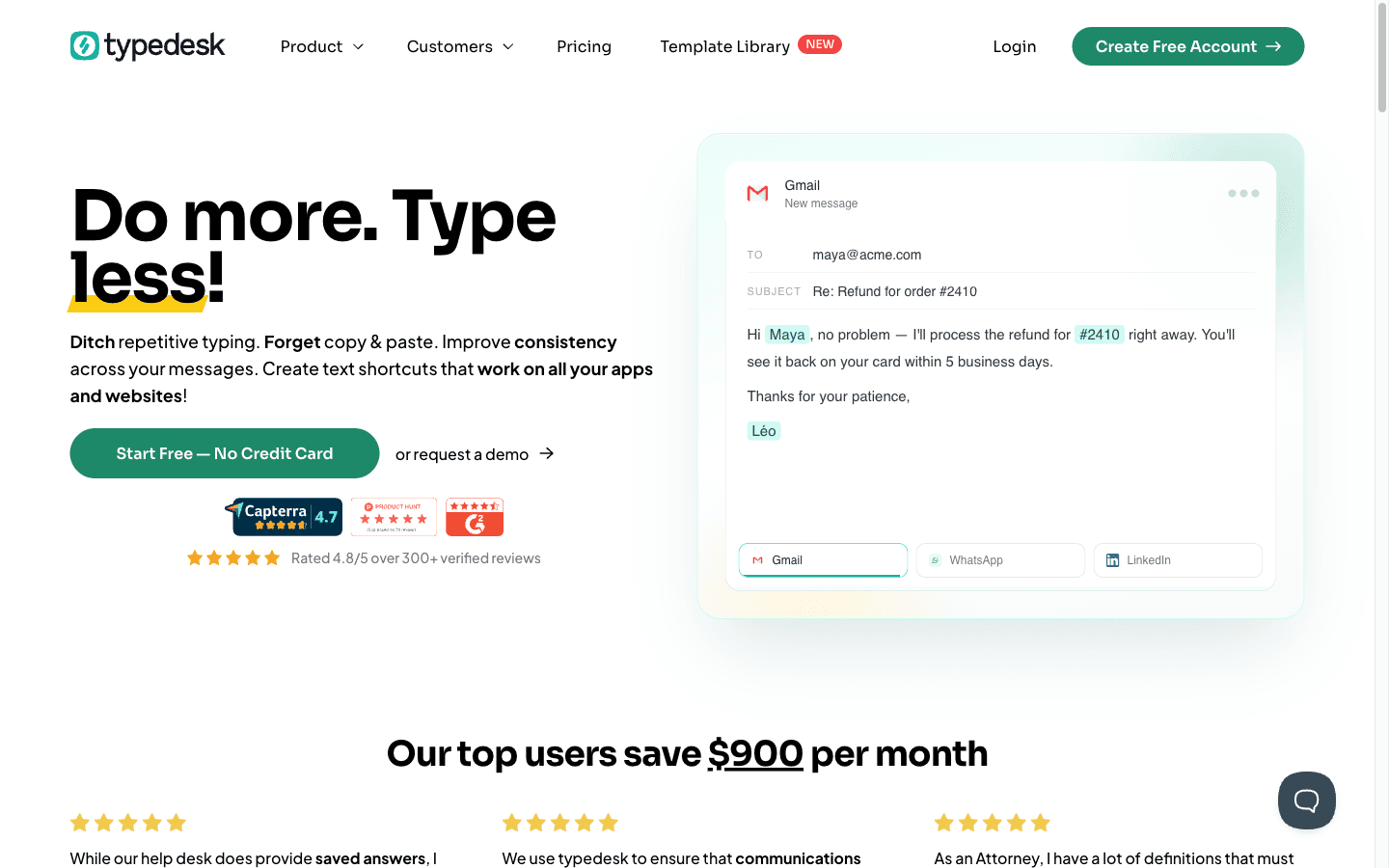
What is Typedesk?
Reviewed Typedesk's site, pricing, and review bases on 2026-10-26; no account created, so this is desk research. Typedesk (typedesk.com) is a text expander and keyboard automation app: build a library of templates, type '/' plus a shortcut in any app or text box, and the snippet expands — desktop app and browser extensions included, with team sharing so support and sales answers stay consistent. The free tier is genuinely usable (unlimited templates, 50 expansions a week, single user); Premium at $60/user per year removes usage caps and adds webhooks and image uploads; the Premium +AI tier at $168/user per year adds AI Quick Reply, custom AI templates, and autofilling AI variables. Mobile apps are listed as coming soon. G2 shows 4.7/5 across 24 reviews; Trustpilot has one review. Affiliate signup (Rewardful) pays 30% recurring for up to 12 months, verified 2026-10-26.
Key Features
/ shortcut expansion
Type '/' plus your shortcut in any app, browser box, or helpdesk field and the template expands instantly — one library across Windows, Mac, and browsers.
Shared team library
Publish approved responses to the whole team, keep personal ones private, and update the canonical answer once instead of correcting five people.
AI Quick Reply (+AI tier)
AI drafts context-aware replies from your templates, autofills variables, and lets you build custom AI workflows against all available AI models.
Webhooks & media
Trigger automations from expansions, upload images into snippets, and standardize answers with attachments and formatting.
Pros & Cons
What works
- The free plan is a working tool, not a demo: unlimited templates with the desktop app and browser extensions included — the only cap is 50 expansions per week for one user (pricing page, 2026-10-26).
- Team consistency is the core loop: shared template libraries mean everyone inserts the approved answer, and G2's review pattern (4.7/24) centers on exactly that use case.
- Cheap per seat for a daily-driver habit: $60/user per year for unlimited usage undercuts the incumbents' text-expansion pricing enough that users report switching from TextExpander over it (on-site testimonial — vendor-curated).
- The +AI tier goes beyond stuffing snippets: AI Quick Reply, custom AI templates, AI-variable autofill, and a choice of AI models turn the library into a semi-automatic answering system.
Watch out for
- The free tier's 50 uses per week is roughly seven expansions a day — anyone using it as intended crosses into the $60 tier within weeks.
- AI costs 2.8× the base subscription: $168 versus $60 per user per year, and there's no middle tier — teams that want one AI feature pay the full +AI seat.
- Independent review volume is thin: one Trustpilot review (profile claimed September 2026) and 24 G2 reviews as of 2026-10-26 — solid but small evidence for a tool promising reliability.
- Mobile is still a promise: the pricing page lists mobile apps as 'coming soon', so expansion lives on desktop and browser only for now.
Who is it for?
Support and success teams
Shared canned responses across helpdesk, email, and chat is the product's center of gravity; consistency reviews on G2 mirror it.
Freelancers and consultants with repetitive writing
One user reports saving 2+ hours a day; at $60/year the subscription pays for itself in the first recovered hour.
Teams wanting AI to draft answers
The +AI tier delivers AI Quick Reply well, but budget for the near-triple per-seat jump before rolling it out company-wide.
Mobile-first field teams
No mobile app yet — snippets only expand on desktop and in browsers as of 2026-10-26.
Reviewed Typedesk's site, pricing, and the review bases that exist on 2026-10-26. No account was created — desk research with dumps staged.
Text expansion is the least glamorous automation in existence and, per hour saved per dollar, possibly the best. Typedesk's version: build a library of canned responses, type '/' plus a shortcut anywhere — helpdesk, Gmail, a CMS box — and the answer appears. Teams share the canonical library so five agents stop sending five versions of the same reply. The free plan is genuinely functional: unlimited templates, desktop app, browser extensions, capped at 50 expansions a week. Premium is $60 per user per year for unlimited usage and team sharing; the +AI tier at $168 adds AI Quick Reply that drafts answers from your template library instead of just pasting them.
The Catch
The tiers are a staircase with no middle step. Free runs out of oxygen fast — 50 uses a week is about seven a day, which a real support morning burns before lunch — so the practical floor is $60/user/year. Fine. But the moment you want AI, the same seat costs $168, nearly triple, and there's no way to buy just AI Quick Reply à la carte. For a five-person team, that's the difference between $300 and $840 a year on one feature decision. Evidence beyond the vendor is real but thin: G2 shows 4.7 across 24 reviews (healthy), Trustpilot holds exactly one (profile claimed only in September 2026), and mobile apps remain "coming soon" — expansions live on desktop and in browsers, period. Who wastes money here: small teams that buy +AI seats for everyone when one shared AI workflow would do, and mobile-first teams who assume the desktop habit transfers. Do the math per seat before the AI tier buys itself.
What it actually costs
| Tier | Yearly | Usage | AI |
|---|---|---|---|
| Free | $0 | 50 uses/week, 1 user | — |
| Premium | $60/user | unlimited, teams | basic AI integration |
| Premium +AI | $168/user | unlimited, teams | AI Quick Reply, all models |
Where it fits
Typedesk automates the smallest unit of work — the sentence you retype — and that's why it compounds. Nuelink automates the posting calendar, NoCodeAPI automates the plumbing; this one automates your typing. The snippets are cheap. The AI seat is where the bill grows — expand accordingly.
Typedesk FAQ
How much does Typedesk cost?
What are the limits of Typedesk's free plan?
Does Typedesk have an affiliate program?
Alternatives to Typedesk

AI social media manager that writes, designs, and schedules months of content — with an MCP server so your AI assistant does the driving.

A marketplace of 99,000+ ready-to-run web scraping and automation Actors — pick one, feed it a URL, pay per run.

Social media scheduler with automation superpowers — RSS, store, and podcast feeds post themselves to 12 platforms while your AI fills the queue.