

What is Superpower ChatGPT?
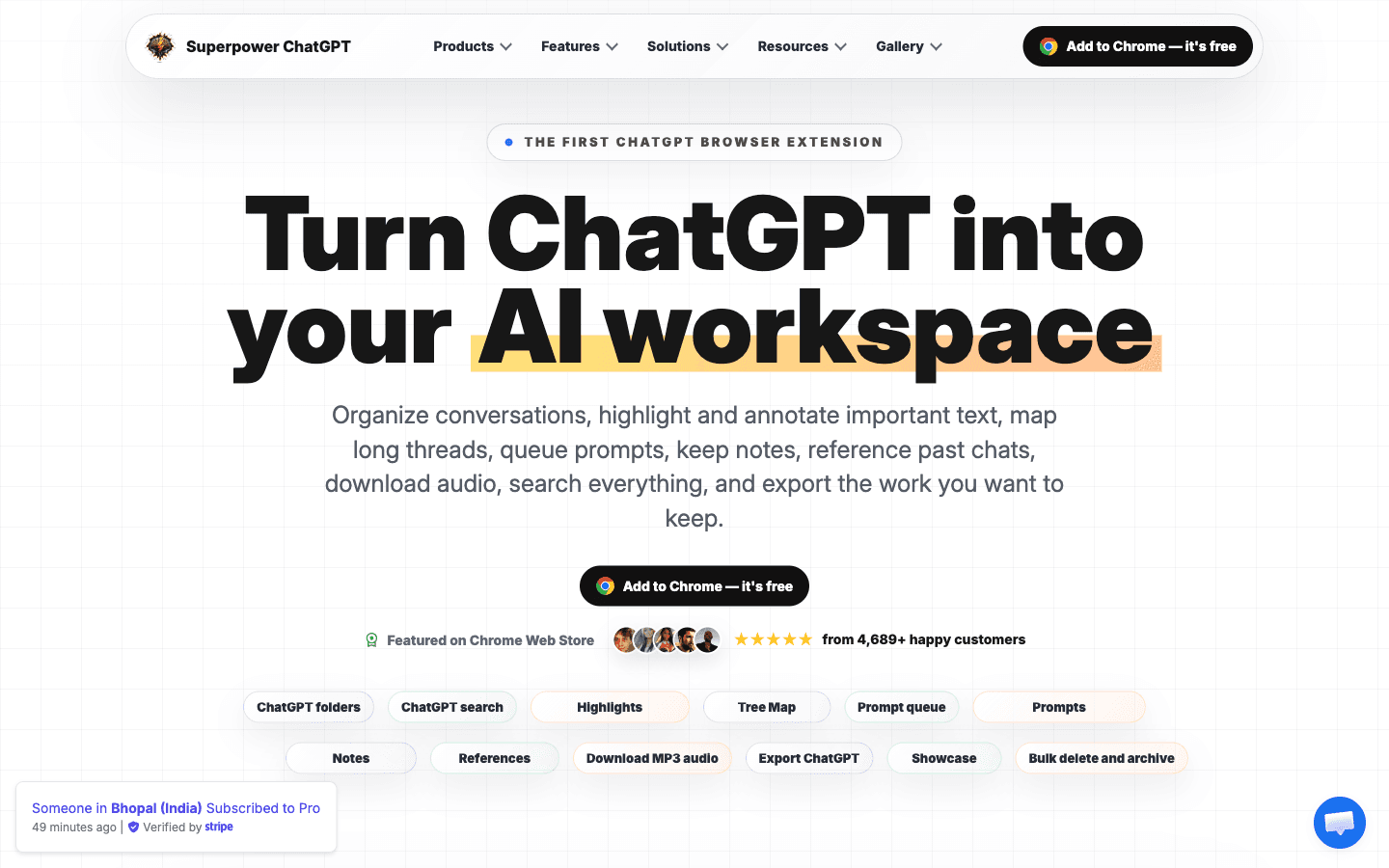
Reviewed Superpower ChatGPT's site, pricing, and Chrome Web Store listing on 2026-10-26; I have not installed it, so nothing here is hands-on. The extension rebuilds ChatGPT's sidebar into a workspace — nested folders, full-history search, prompt chains and queues, highlights with annotations, tree maps, and bulk export to PDF, Markdown, JSON, or text. Free covers the core with caps; Pro is $10/mo billed annually or $15 monthly. It holds 4.6 stars across 3.7K Chrome Web Store ratings, while G2 and Trustpilot are effectively empty.
Key Features
Folders and subfolders
Nested folders with colors, images, drag-and-drop, pinned favorites, bulk move/archive/delete/export, and auto-foldering for Custom GPT conversations.
Prompt manager, chains, and queue
Save and search prompts with slash-menu access, run multi-step chains with delays, reuse {{variable}} templates, one-click prompt optimizer, and queue prompts while ChatGPT is still responding.
Search, highlights, and notes
Cmd-K search across conversations, prompts, images, notes, and highlights; color-coded highlights with annotations; per-chat and global notes; pinned messages in long threads.
Export, tree map, and media
Bulk export to PDF, Markdown, JSON, or text; polished print templates; visual tree maps of branched conversations with PNG export; image gallery with Showcase share pages; conversation audio player with MP3 download.
Pros & Cons
What works
- Longest track record in the category: launched within a week of ChatGPT itself (December 2022), with a claimed 500+ releases at roughly two per week and a Featured Chrome Web Store listing at 4.6 stars across 3.7K ratings.
- The free plan is a real daily tool, not a trial — folders, search, 5 saved prompts, highlights, and single-chat export at $0 with no card or trial clock.
- Local-first data posture: workspace data stays in your browser where possible, messages go straight to OpenAI over HTTPS, and the Chrome Web Store privacy disclosure states data is not sold to third parties.
- Export breadth is unusual for the price: chats, folders, or selected messages to PDF, Markdown, JSON, or text, plus print templates — reviewers specifically praise format-faithful PDF output.
Watch out for
- Free caps push upgrades early: 5 folders, 5 saved prompts, 2-step chains, 5 queued messages, 20-message tree maps, and single-chat export only — notes, gallery, auto-cleanup, audio, and bulk export are all Pro-gated.
- ChatGPT-only by design: no Claude, Gemini, or other-model support, so multi-model users need a different tool entirely.
- No team story: everything lives in one browser profile with no team plan, shared folders, or real cross-device sync, per the vendor's own local-first FAQ.
- Independent review base is thin and the site leans on growth tactics: G2 lists 2 reviews, Trustpilot 0, and the vendor's own pages use live 'subscribed to Pro' toasts plus a monthly Pro giveaway for leaving Chrome Web Store reviews.
Who is it for?
Daily ChatGPT power users (researchers, developers, consultants, students)
Months of unsorted history becomes folders plus Cmd-K search plus bulk export — the exact loop 3.7K Chrome Web Store reviewers keep praising.
Prompt-workflow builders
Chains, variables, queues, and the optimizer are genuinely useful, but the free tier stops at 2-step chains and 5 queued messages; unlimited means $120/year.
Multi-model users who also run Claude or Gemini
The extension is ChatGPT-only; a cross-model tool like [Voilà](/tools/voila) or AI Toolbox covers several assistants in one install.
Teams wanting shared AI workspaces
Storage is local to one browser profile, with no team plan, shared folders, or server-side sync — the vendor's FAQ says so directly.
Reviewed Superpower ChatGPT's site, pricing, and Chrome Web Store listing on 2026-10-26. I have not installed the extension — this is research on public pages, not a hands-on test.
Superpower ChatGPT is a browser extension that turns ChatGPT's sidebar into an actual workspace: nested folders, full-history search, a prompt manager with chains and queues, highlights with annotations, tree maps of branched conversations, and bulk export to PDF, Markdown, JSON, or text. It launched within a week of ChatGPT itself in December 2022, ships roughly two updates per week by its own count, and holds a 4.6-star rating across 3.7K Chrome Web Store ratings. It works with a free ChatGPT account — your OpenAI plan, not Superpower, decides which models you get.
The Catch
The free plan is the filing system at toy scale. You get 5 folders, 5 saved prompts, 2-step chains, 5 queued messages, and 20-message tree maps; the moment your workflow outgrows that — bulk export, notes, image gallery, auto-cleanup, the audio player — Pro at $10/mo billed annually ($120/year, or $15 monthly) is the only way up. Two structural limits matter more than the price. It's ChatGPT-only: split your work across Claude or Gemini and you need a second tool. And everything lives in one browser profile — no team plan, no server sync, so a new machine starts from zero. The vendor's own site runs urgency widgets ("Someone in Bhopal subscribed to Pro 38 minutes ago"), gives away a free Pro year monthly in exchange for Chrome Web Store reviews, and shows 4.5/3.6K on its own pages against the store's 4.6/3.7K. The aggregate rating is credible; the curated review wall deserves more skepticism.
What it actually costs
| Plan | Price | Real ceiling |
|---|---|---|
| Free | $0 | 5 folders, 5 prompts, 2-step chains, single-chat export |
| Pro | $10/mo billed annually ($120/yr), or $15 monthly | Unlimited folders/prompts/exports, notes, gallery, audio, automation |
The break-even is time, not money: if folders and search save you ten minutes a month of scrolling, $120/year is cheap. If you open ChatGPT twice a week, stay free and reassess when your sidebar actually hurts.
Where it fits
Daily ChatGPT users with months of unsorted history are the obvious fit — researchers, developers, consultants, students keeping coursework separated. Prompt-driven operators get real chains and queues but should sanity-check the free caps first. Multi-model households and anyone needing shared workspaces should compare Voilà or AI Toolbox before paying.
ChatGPT is conversation-first. Superpower is retrieval-first.
Superpower ChatGPT FAQ
What does the Superpower ChatGPT free plan include?
Do you need ChatGPT Plus to use Superpower ChatGPT?
How much does Superpower ChatGPT Pro cost?
Alternatives to Superpower ChatGPT

Compliance-first AI medical scribe with a genuinely free tier — a split review record and SGD-priced seats complicate the pitch.

Job-tracker-first workspace with AI resume tailoring — generous free plan, $40/mo Pro, no free trial.

Diagramming canvas turned AI context platform — cheap Pro plan and real enterprise security, but a product line still mid-pivot.
Related articles
All postsguide
Best AI Productivity Tools 2026: 8 Tools Compared by Job and Real Cost
The 2026 AI productivity field, sorted by job: cross-app assistants (Voila $8/mo, Superpower ChatGPT $10/mo), document Q&A (MyReader $7.50/mo), visual thinking (Creately $5/editor), job hunting (Huntr free–$40/mo, RoboApply $47/mo), clinical scribing (Heidi Health S$70/user) — every price verified October 2026, with the catch for each.
guide
1 Blog Post → 15 Social Pieces: The Repurposing Workflow (2026)
A practical pipeline that turns one published post into roughly fifteen platform-native pieces — LinkedIn posts, X threads, newsletter issue, video-derived assets — using Swell AI, Typefully, Typeshare, and the ChatGPT layer, with prices verified October 2026 and the failure points named for every step.
alternatives
5 Jasper AI Alternatives for 2026: Compared by Job, With Verified Prices
Jasper's Creator plan starts at $49/mo and the Surfer SEO integration costs $69/mo on top. We compared the credible alternatives by the job you'd actually hire them for — marketing workflows, GEO, budget volume, fiction, and the general-LLM route — with pricing verified October 2026.